EkAyu
EkAyu 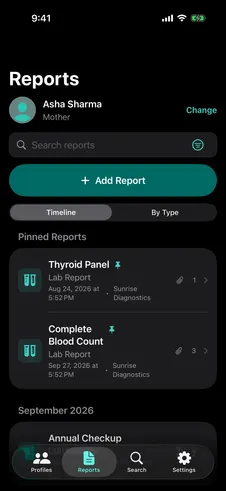
Stays on your device
Your records are stored on your iPhone or iPad, protected by iOS Data Protection, and never sent to an EkAyu server.

EkAyu
Lab results buried in your inbox.
Prescriptions lost in a photo album.
Scans in a drawer, somewhere.
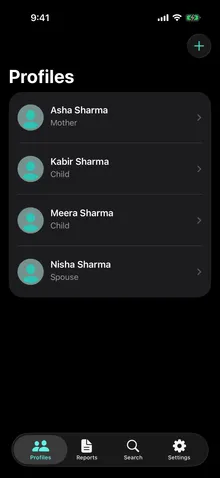
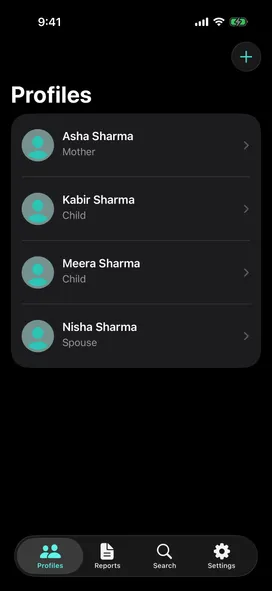
EkAyu brings them together, with one profile for each person you care for.
Lab results buried in your inbox.
Prescriptions lost in a photo album.
Scans in a drawer, somewhere.
EkAyu brings them together, with one profile for each person you care for.
How it works
Start with one profile and one report. Add more whenever you're ready.

Free · iPhone and iPad Requires iOS/iPadOS 26+
Family profiles
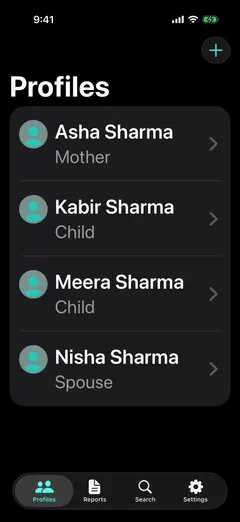
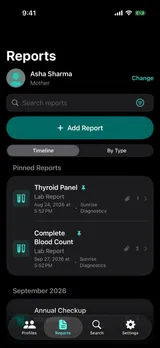
Create a profile with a name and relationship. Add health details whenever you need them: photo, date of birth, blood group, conditions, medications and allergies.
Medical reports
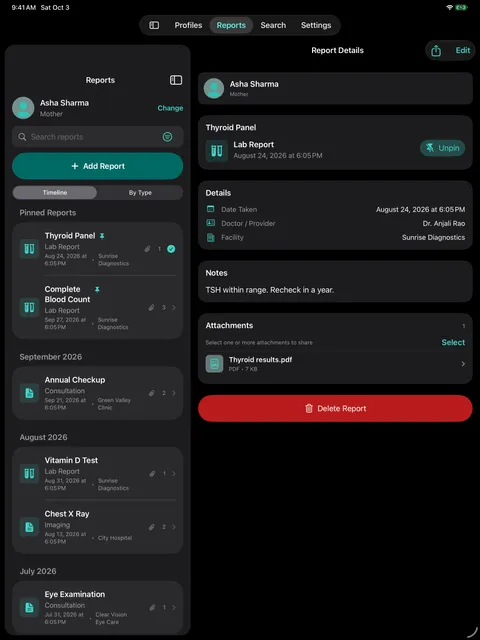
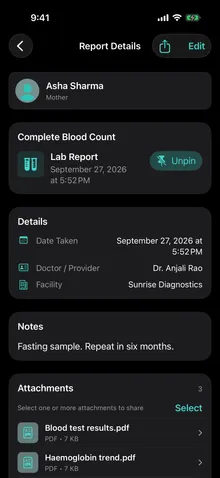
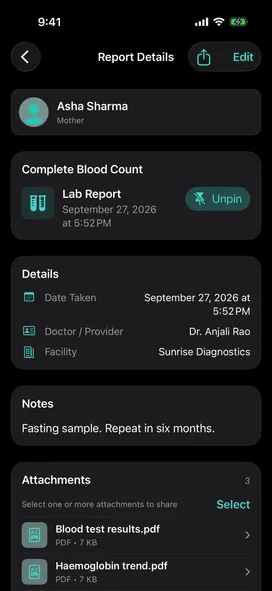
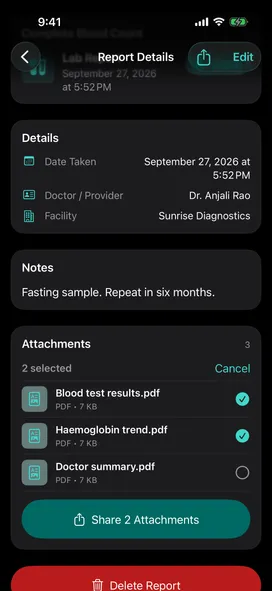
Give each report a title, type, date, doctor and facility, then attach the report itself: a photo or PDF from the camera, Photos or Files, up to 15 per report. Notes are optional.
Browse and find
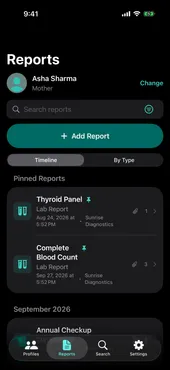
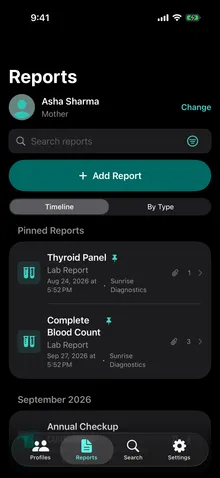
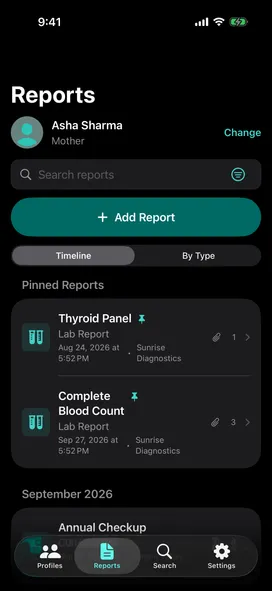
Scroll a timeline or group reports by type. Filter by date and type, pin up to three reports per profile, and search across every profile at once.
Share
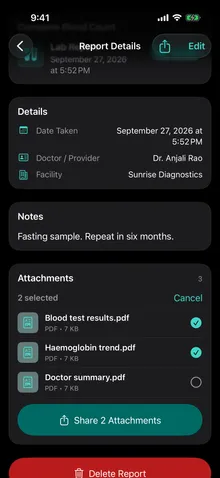
Pick the attachments a doctor needs and send them through the share sheet, along with the report's summary and notes. Need just one file? Share it on its own from its preview.
Privacy and security
Medical records are among the most personal things you own. EkAyu is built so they stay yours.
Your records are stored on your iPhone or iPad, protected by iOS Data Protection, and never sent to an EkAyu server.
Lock EkAyu with Face ID, and choose how soon it locks again after you leave.
EkAyu hides its content whenever it leaves the foreground, so your records stay out of the app switcher.
iCloud Sync
Turn on iCloud Sync and your family's profiles, reports and attachments stay in sync across your iPhone and iPad whenever they're connected, kept in your private iCloud account.
iCloud Sync stays off until you turn it on, separately on each device. Until then, everything stays on the device.
Set up a new iPhone or iPad and EkAyu finds your records in iCloud, then offers to bring them back.
Remove EkAyu’s copy from your iCloud whenever you choose, and keep the records on your device.
See the steps on SupportiCloud Sync keeps your devices in step. It isn't a backup: edits and deletions on one device apply to all of them.
Every screen works with VoiceOver and Voice Control, adapts to larger text, and is tuned for contrast in light, dark and Increase Contrast.
EkAyu is free to download on the App Store. It runs on iPhone and iPad with iOS or iPadOS 26 or later.
No. There is no sign-up, password or email address. Open EkAyu and add your first profile.
Profiles let you keep records for everyone in your care on your own devices. iCloud Sync keeps your own iPhone and iPad in step using the same Apple Account; it does not share records with other people’s accounts. To give someone a report, share it from EkAyu.
Yes. Your records are stored on your device, so you can add and view them offline. If iCloud Sync is on, it catches up when you are back online.
PDF, JPEG and PNG files: up to 15 per report and 25 MB each, from the camera, Photos or Files.
Sharing from a report sends the attachments you pick along with the report’s summary, including its notes in full. Sharing from an attachment’s preview sends only that file.
Deleting EkAyu removes its data from that device. EkAyu’s health data is not part of ordinary device backups, so with iCloud Sync off, records on a lost or erased device cannot be recovered.
With iCloud Sync on, your records stay in your iCloud and EkAyu offers to bring them back when you set it up again. iCloud Sync is not a backup, though: deleting a record on one device deletes it everywhere.
More answers on the Support page.

Free · iPhone and iPad Requires iOS/iPadOS 26+